Enable another instance of the same plugin
Create another plugin instance
Section titled “Create another plugin instance”An additional plugin instance can use different settings, such as another account for the same payment system.
-
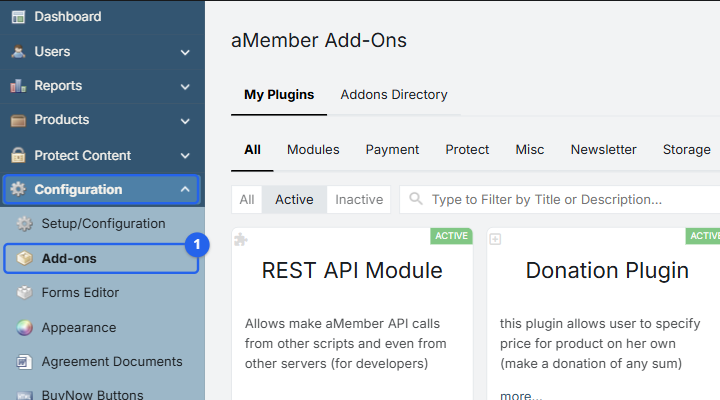
Navigate to aMember CP -> Configuration -> Add-ons.
-
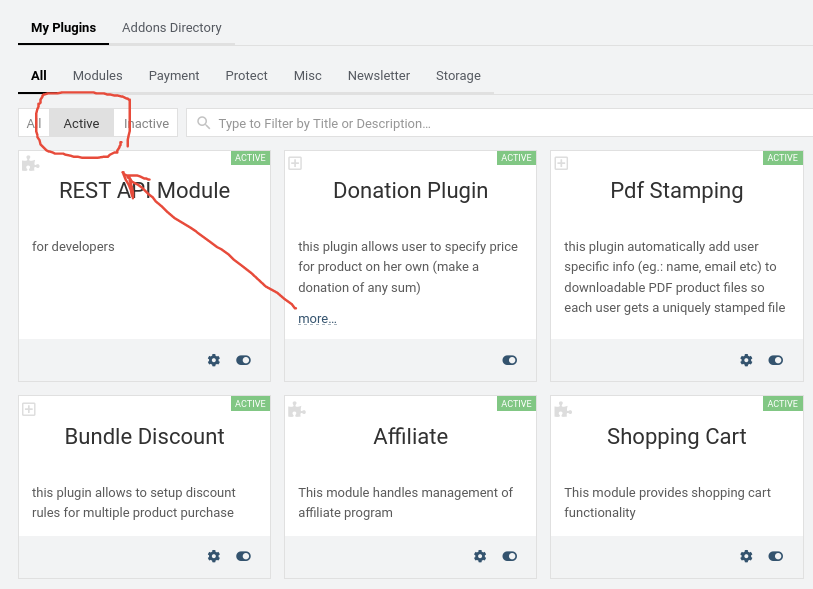
On the My Plugins tab, switch the status filter to Active.
-
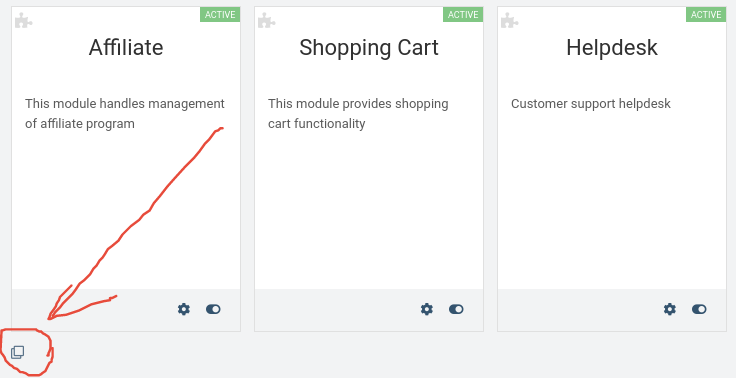
Scroll to the bottom of the page and click the Create new plugin instance clone icon.
-
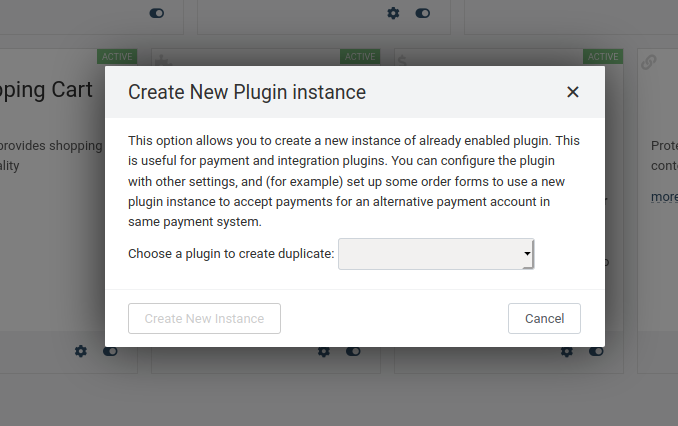
Select the plugin to duplicate and click Create New Instance. Only enabled payment and protection plugins are available for duplication.
Copyright © 2002–2026 www.amember.com. All Rights Reserved.