Link aMember to different WordPress blogs
To add aMember users to more than one WordPress blog, create a separate instance of the WordPress protection plugin for each blog. Before continuing, enable and configure the WordPress plugin for the first blog.
-
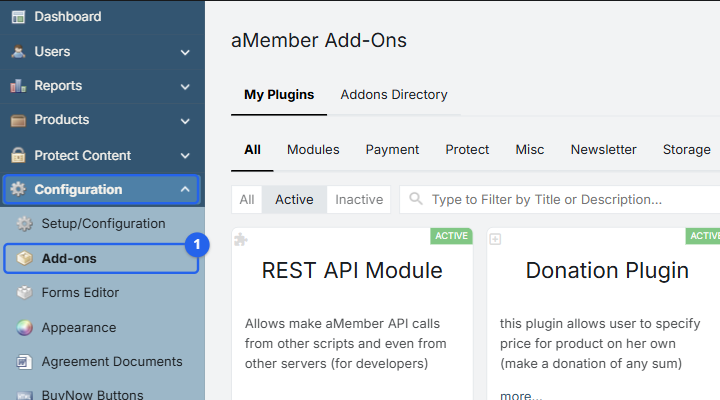
Navigate to aMember CP -> Configuration -> Add-ons.
-
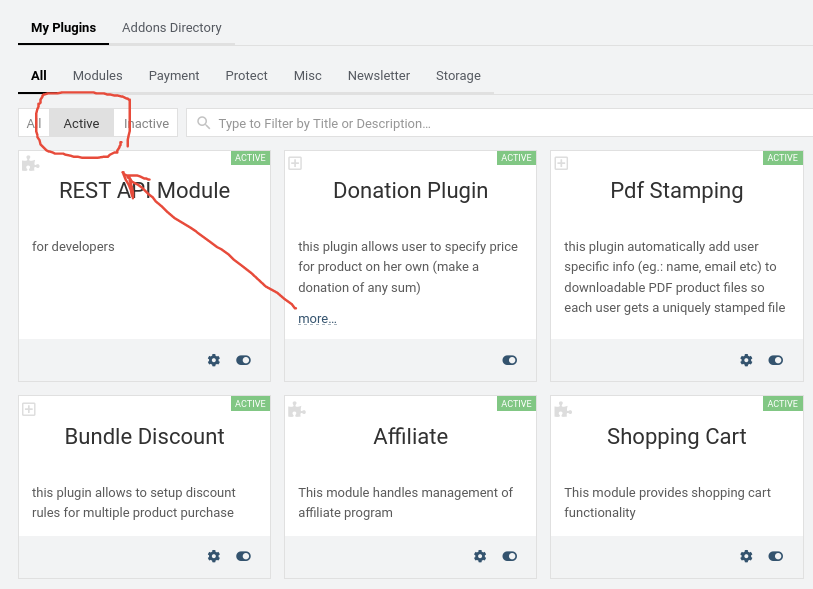
On the My Plugins tab, switch the status filter to Active and confirm that WordPress is enabled.
-
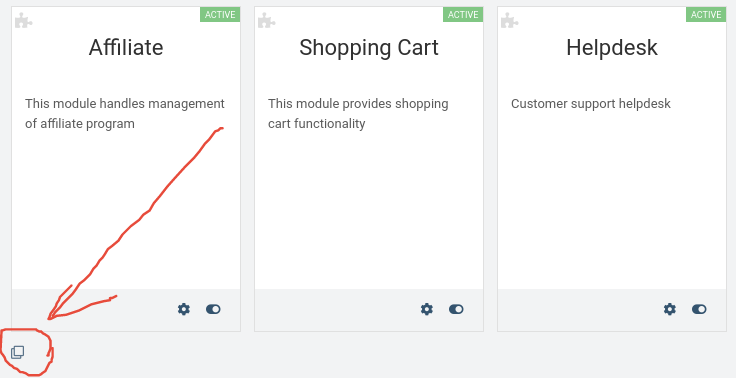
Scroll to the bottom of the page and click the Create new plugin instance clone icon.
-
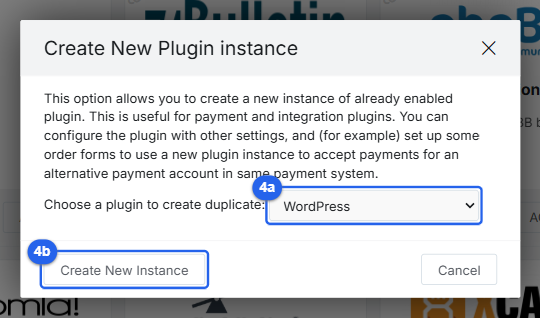
Select WordPress and click Create New Instance.
-
Open the settings for the new WordPress:1 instance. Set WordPress Folder to the installation folder of the second blog and complete the remaining WordPress settings. Configure product integration rules for the new instance as needed.
Copyright © 2002–2026 www.amember.com. All Rights Reserved.